Skip to content



应用配置
应用配置(框架配置)文件为 apps/<app>/src/settings.ts ,以下是 专业版 演示源码的自定义配置示例:
ts
import { setSettings } from '@fantastic-admin/settings'

export default setSettings({
  app: {
    account: {
      auth: true,
      multipleAccounts: true,
    },
    dynamicTitle: true,
    feedback: true,
    lockScreen: true,
    errorLog: true,
    checkUpdates: true,
    copyright: {
      enable: true,
      dates: '2020-present',
      company: 'Fantastic-admin',
      website: 'https://fantastic-admin.hurui.me',
    },
    preferences: {
      theme: true,
      menu: true,
      topbar: true,
      tabbar: true,
      toolbar: true,
      page: true,
    },
  },
  menu: {
    style: 'dot',
    mainMenuClickMode: 'smart',
    subMenuCollapseButton: true,
    hotkeys: true,
  },
  topbar: {
    tabbar: true,
    toolbar: true,
    mode: 'fixed',
  },
  tabbar: {
    style: 'fashion',
    icon: true,
    memory: true,
    hotkeys: true,
  },
  toolbar: {
    favorites: true,
    breadcrumb: {
      style: 'modern',
      mainMenu: true,
    },
    notification: true,
    i18n: {
      enable: true,
    },
    fullscreen: true,
    pageReload: true,
    colorScheme: true,
  },
  page: {
    hotkeys: true,
    iframeKeepAliveMax: 9,
    transitionMode: 'slide-right',
  },
})
小技巧
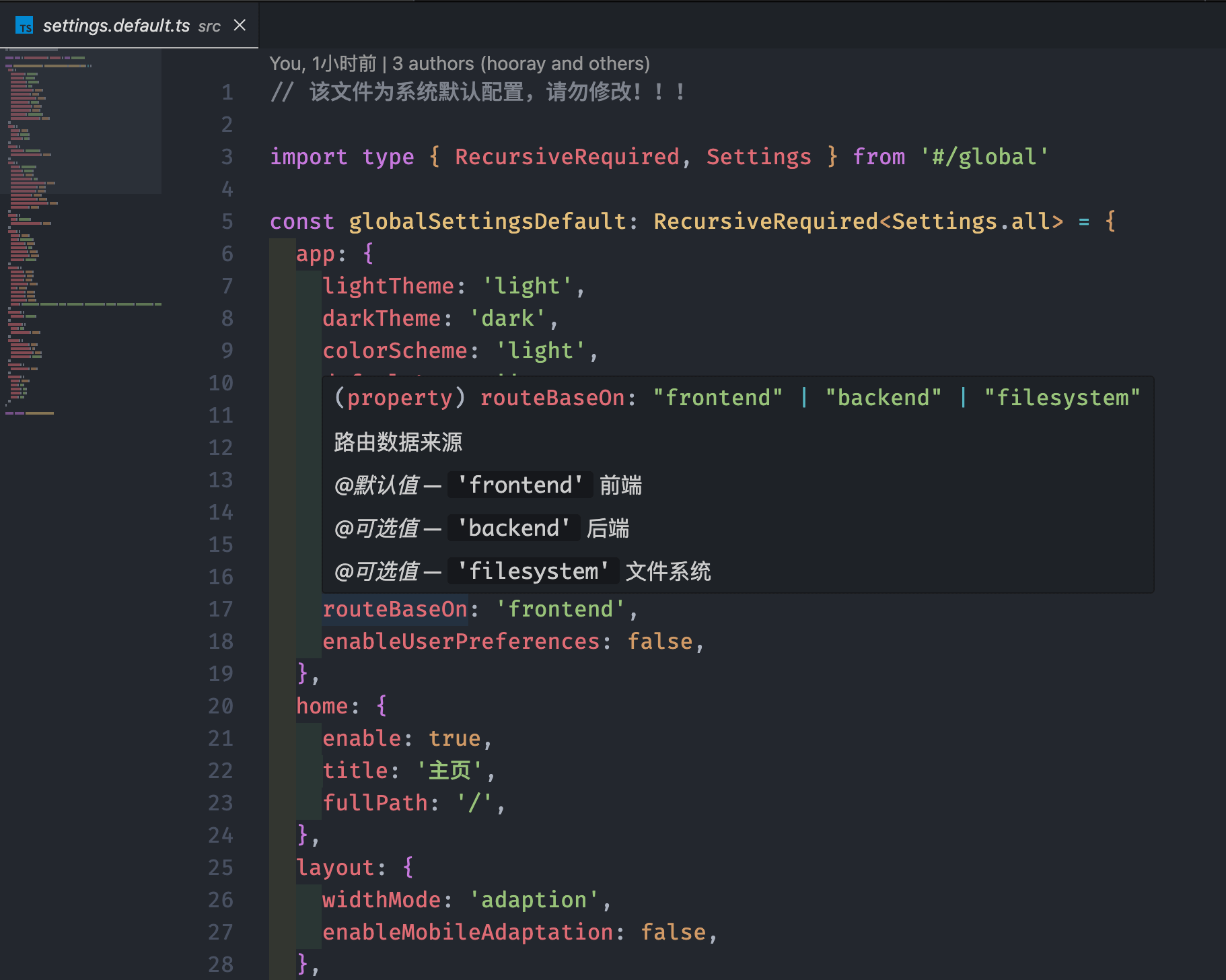
文档中提供的配置介绍,如果在本地的开发环境使用中报错或者无法生效,说明你使用的版本不支持或者配置参数有变动,你可以查看 packages/settings 子包中的默认配置与类型定义作为参考。
并且如果你使用的是 Visual Studio Code ,鼠标悬浮到属性上时,会有属性的介绍: